






How to Read a World Time Watch: A Simple Guide

Time helps us connect to different parts of the world, be it traveling or working across different time zones. Having knowledge of different time zones across the globe is vital, especially when you have family living abroad. With a world time watch, knowing the time is much easier since you can see multiple time zones on a single dial.
Sylvi is the leading designer of world time watches that ensure customers stay connected from anywhere in the world, regardless of their timezone. Their style complements professionals, sure to wear it in the office and even for travelers, since it is equipped with modern technology.
This comprehensive guide will allow the reader to set their watch in no time and make using a world time watch much easier.
Before we begin, let us take the time to define what a world timer watch is.
What is a World Timer Watch?
A World Timer watch is the best timepiece that shows the time in more than one time zone at a time, usually having a rotating 24-hour ring and a city ring for principal time zones around the world.
Understanding a World Time Watch
A world time watch is a timepiece that shows time in more than one time zone at a time. It is designed for people who are frequent travelers or who work abroad. Unlike a standard watch with a single-time display, a planet watch allows you to keep track of different cities around the world.
Key Features of a World Time Watch
-
Time Zone Ring or Bezel
- The names of major cities for the 24 time zones of the world are inscribed on the outer edge of the watch face.
- This ring enables you to see the time in other locations immediately.
-
24-Hour Scale
- Some world time watches have a 24-hour scale inside the dial.
- This scale divides day and night in various cities.
-
Main Time Display
- The main watch hands show the local time, which is the primary time zone that you have set.
- You can easily modify this to suit your current location.
-
Additional Sub-Dials or Digital Display (In Some Models)
- Some world time watches also have sub-dials or digital displays for added convenience. These give quick access to several alternate time zones without shifting the primary dial.
How to Set Up a World Timer Watch
Having a watch with a world time feature is a game-changer, especially if you frequently travel or need to keep track of different time zones. Follow these simple steps to set up and use the world time function on your watch.
Step 1: Enter World Time Mode
To begin, make sure your watch is in normal timekeeping mode. Once you're there, press the B button once. Boom! You’ve just entered World Time Mode. This mode allows you to check the current time in another time zone while still keeping track of your home time.
Step 2: Check the Dual Time Display
In this mode, you’ll notice that your watch displays two times:
- Your home time (the time you’ve already set).
- The world time, which you can customize to any city across different time zones.
This feature is perfect for travelers, business professionals, or anyone who needs to coordinate with people in different parts of the world.
Step 3: Select Your Desired City
Now, let’s personalize your world time setting!
- Press the C button to start cycling through different cities.
- Each press of the button will move through the list of major cities, representing various global time zones.
Step 4: Find and Lock in Your City
With a vast selection of cities available, you can find almost any time zone you need. Take your time scrolling through until you find your desired city. Found it? Great!
- Now, press the A button to confirm and lock in your selected world city.
- Your watch will instantly adjust the world time display to reflect the local time of that city.
Step 5: Enjoy Two Time Zones at Once!
Congratulations! Your watch is now set to show both:
✔ Your home time – so you’re always aware of your local time.
✔ Your selected world time – giving you instant access to another time zone without any calculations.
It’s like having two clocks on your wrist, making it effortless to stay connected across the globe. Whether you're planning a call with a friend overseas or managing business meetings across time zones, your watch has got you covered!
Common Mistakes to Avoid When Setting World Time
- Forgetting to leave World Time Mode – After setting the time, press the required button to return to normal timekeeping mode.
- Selecting the Wrong City – Check your city selection for the appropriate time.
- Not Locking in the Time Zone – Always press the A button (or confirm) to lock in the city you've selected.
- Ignoring Daylight Saving Time (DST) – Some cities observe DST. Adjust if required.
- Inadvertently Changing Home Time – Make sure that you're altering world time, not home time.
- Not Checking AM/PM Format – Ensure that the time format is as per your requirement (12-hour or 24-hour).
- Missing the Watch Manual – Every watch is a little different. Check the manual for specific instructions.
Conclusion
A world time watch is not just a stylish accessory but a handy tool for keeping track of multiple time zones easily. If you are a world-trotter, a businessman, or someone who connects with people around the world, the watch keeps you on schedule always.
At Sylvi, our world time watches are designed with precision, durability, and ease of use in mind. By understanding how to set your watch, you can maximize its functionalities and enjoy a problem-free experience.
Explore our Sylvi world time watch collection today and stay ahead, no matter where life's journey takes you!
Recommended Topics
Latest Watches
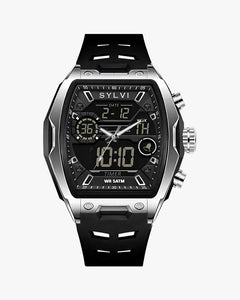
Vanguard Black Silver Silicone
Rs. 1,689.00
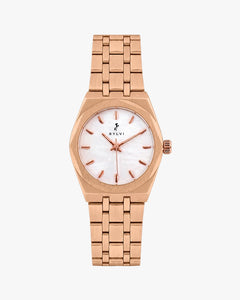
Sia White Rosegold Steel
Rs. 2,329.00
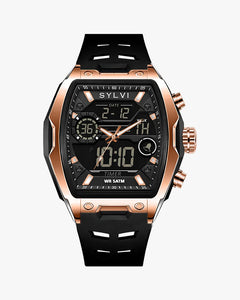
Vanguard Black Rosegold Silicone
Rs. 1,689.00
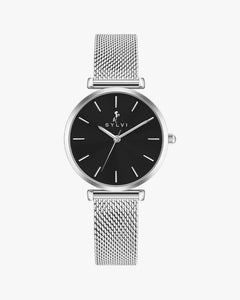
Serene Black Silver Mesh
Rs. 1,699.00


Leave a comment